Distance & Orientation
This step measures distances and relative orientations between membrane surfaces. You can measure within a single membrane (intra) or between two different membranes (inter).
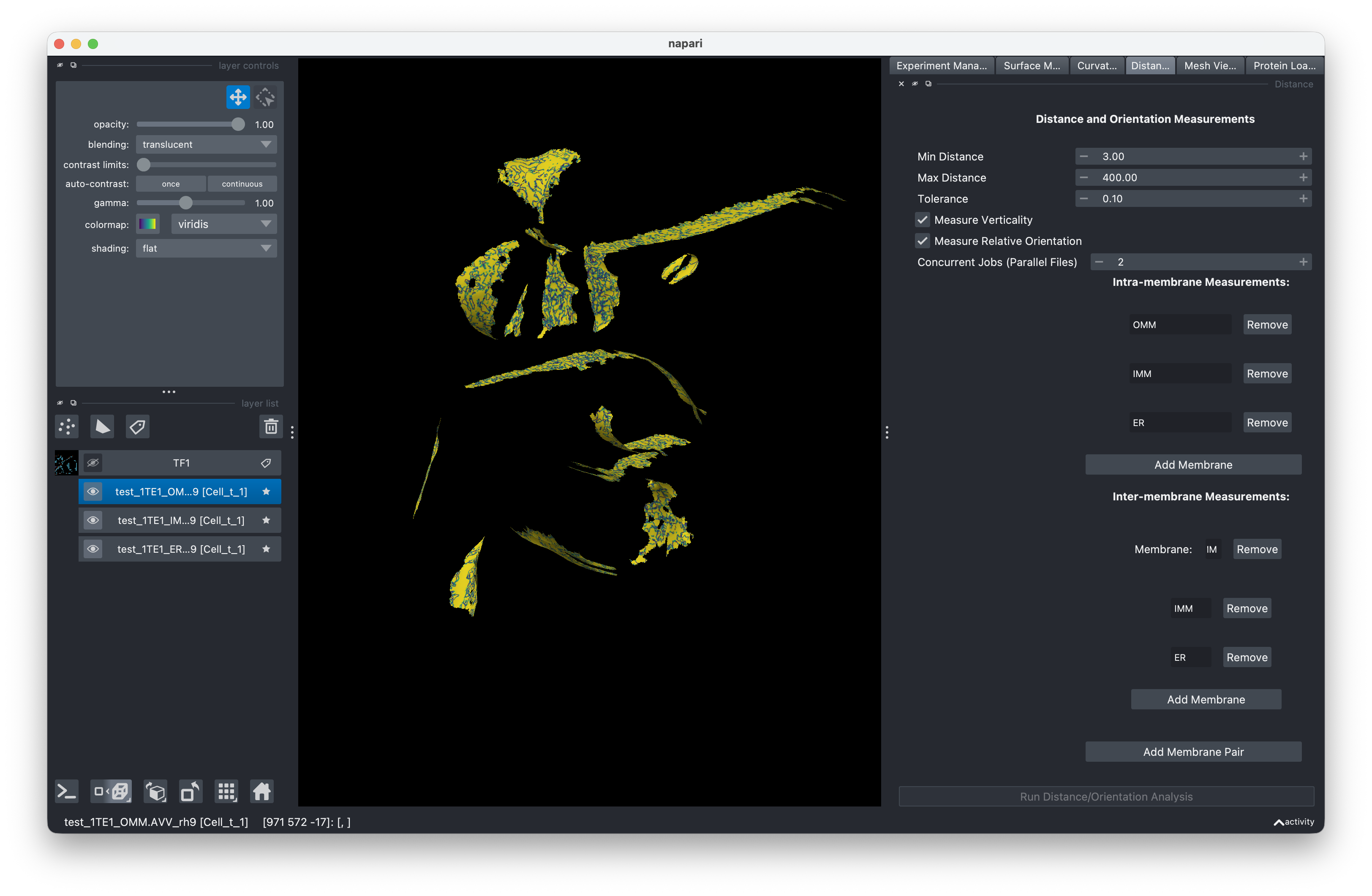
Setting up measurements
Intra-membrane measurements
Intra-membrane measurements compute distances and orientations within a single membrane surface (e.g., measuring membrane thickness or local curvature-related distances).
Inter-membrane measurements
Inter-membrane measurements compute distances and orientations between pairs of membrane surfaces. You define which surfaces to compare by setting up measurement pairs.
Parallel processing (Workers)
Like the PyCurv tab, Distance & Orientation supports parallel file processing through the Concurrent Jobs spinner.
- Concurrent Jobs controls how many measurement scripts run simultaneously. Each job processes one file at a time.
- Distance scripts are single-threaded (1 core per job), so the total CPU load equals the number of concurrent jobs.
Tip
Since distance scripts use only 1 core each, you can safely set Concurrent Jobs closer to your total CPU core count without overloading the system.
Running the analysis
- Switch to the Distance & Orientation tab.
- Configure your intra-membrane and inter-membrane measurement settings.
- Set Concurrent Jobs based on your available resources.
- Click Run to compute distances and orientations.
Output
Distance and orientation values are added as properties on the mesh files. You can visualize these using the Visualization panel.
Rerunning
The same archive/overwrite behavior applies as in mesh generation.